How the iProov Web Client Works

This visualization explains how iProov connects to identity and access management (IAM) systems and web browsers via OpenID Connect (OIDC). This no-code deployment enables organizations to add high-assurance biometrics to identity programs in a matter of hours.

Click through the steps using the buttons below.
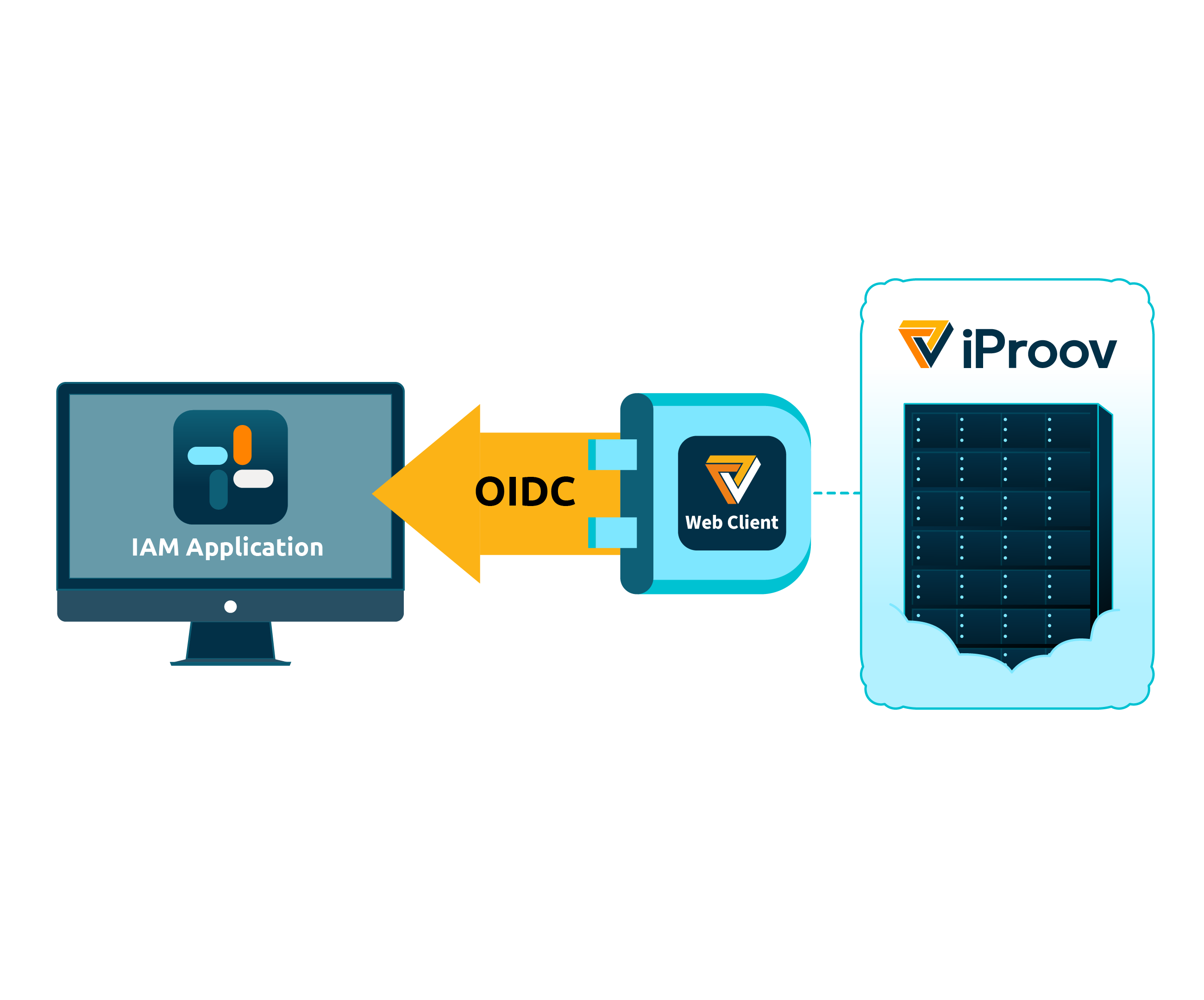
Process flow show interactions between a customer IAM, the iProov Web Client, and the iProov Cloud

No-Code Integration

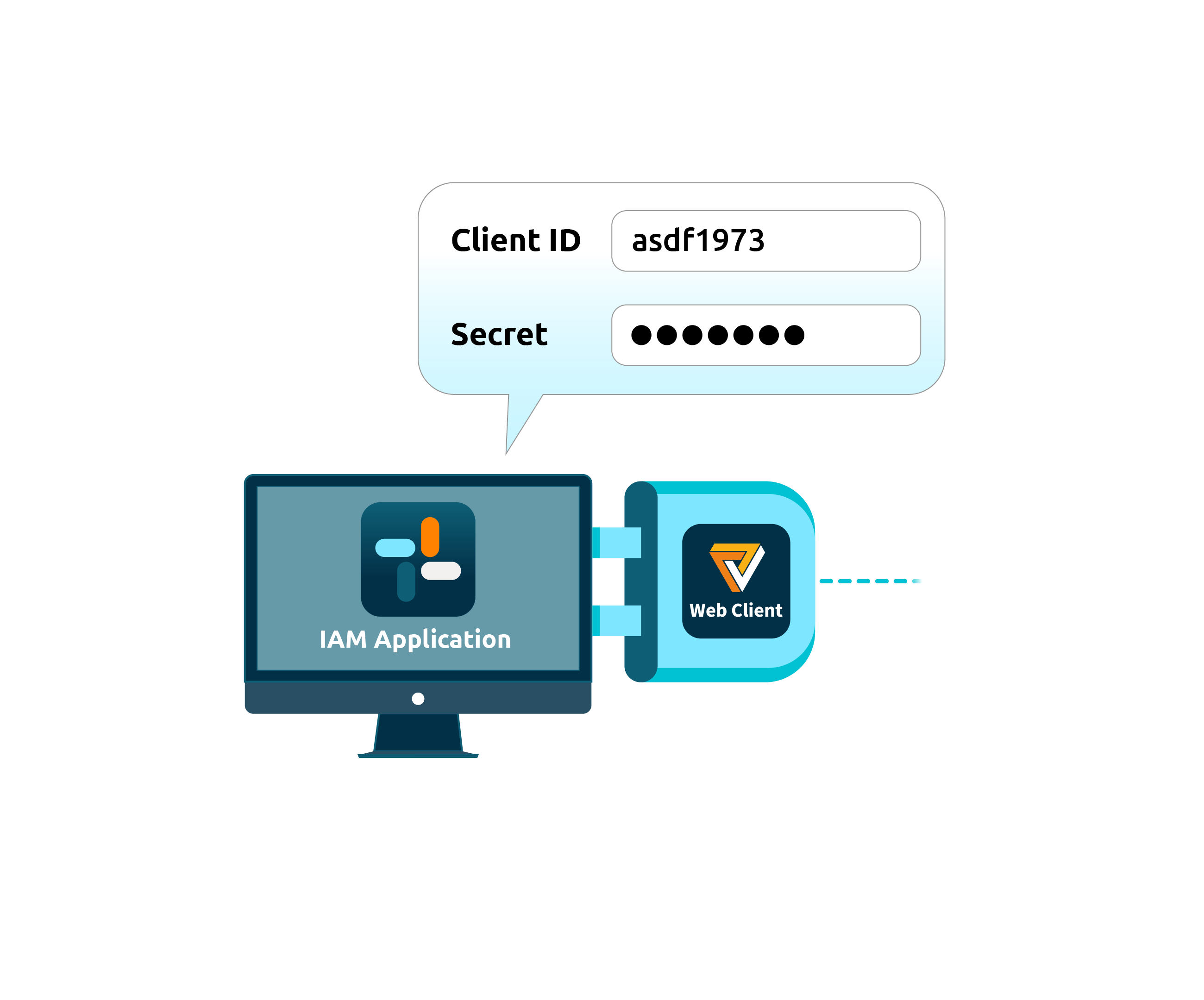
The Web Client seamlessly integrates with all major IAM platforms with no coding required.

Simply create a web application on iPortal and copy the OIDC credentials to your IAM platform.

By leveraging the OIDC standard, integrations are aligned with modern authentication identity best practices.

The OIDC Web Client is attached to the IAM system. There is a dialog from the IAM system asking for a client ID token and secret

Out-of-the-box User Journey

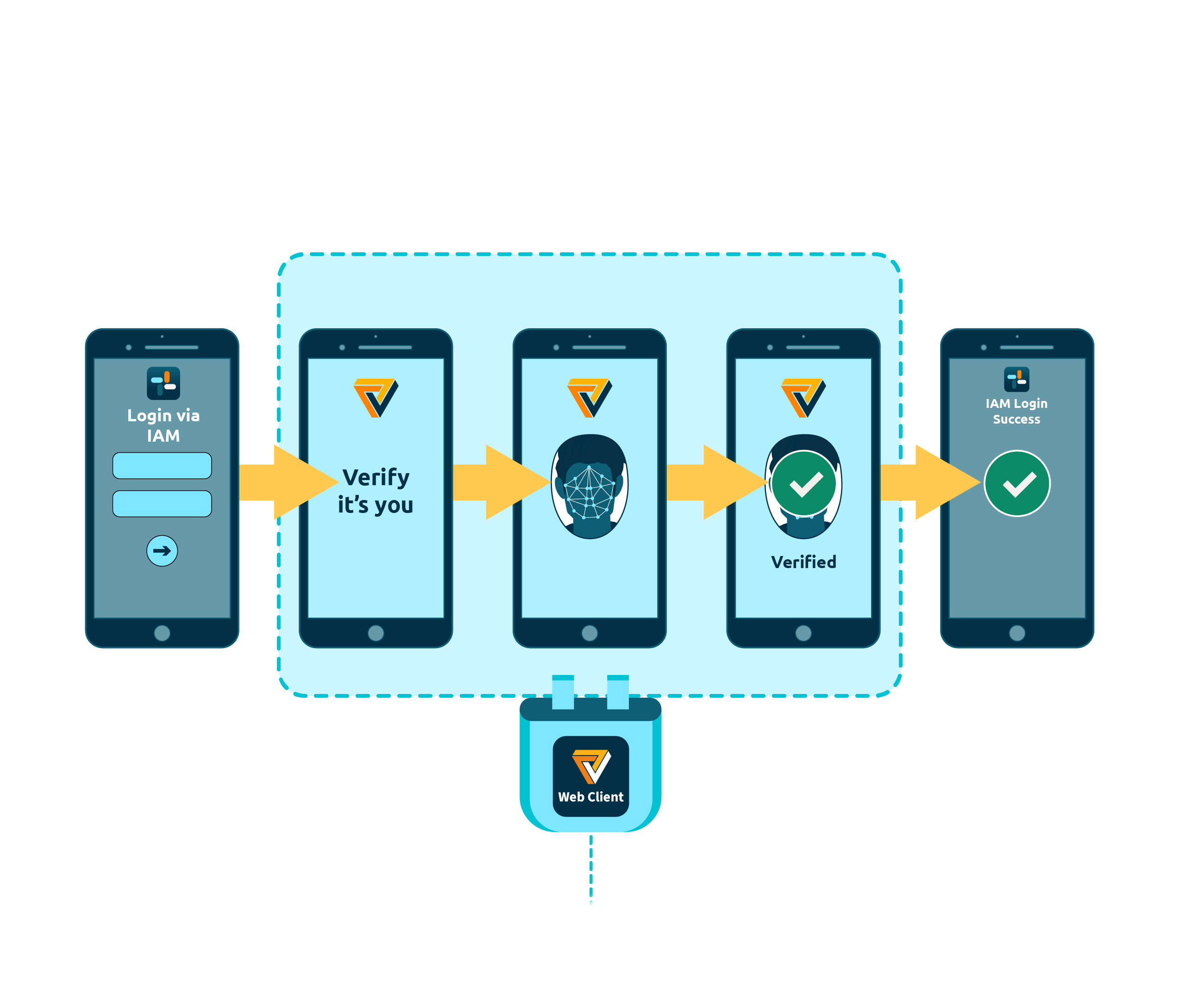
Individuals start authentication on the IAM platform and are redirected to iProov to verify their biometrics.

Once complete, they return with a verified access token without ever leaving the web browser.

Hosting and maintenance are handled by iProov, minimizing integration effort and operational overhead.

A five-step user journey starting with the IAM system login routing to iProov facial biometric verification and ending with a successful login in the IAM

Cloud-based Biometric Verification

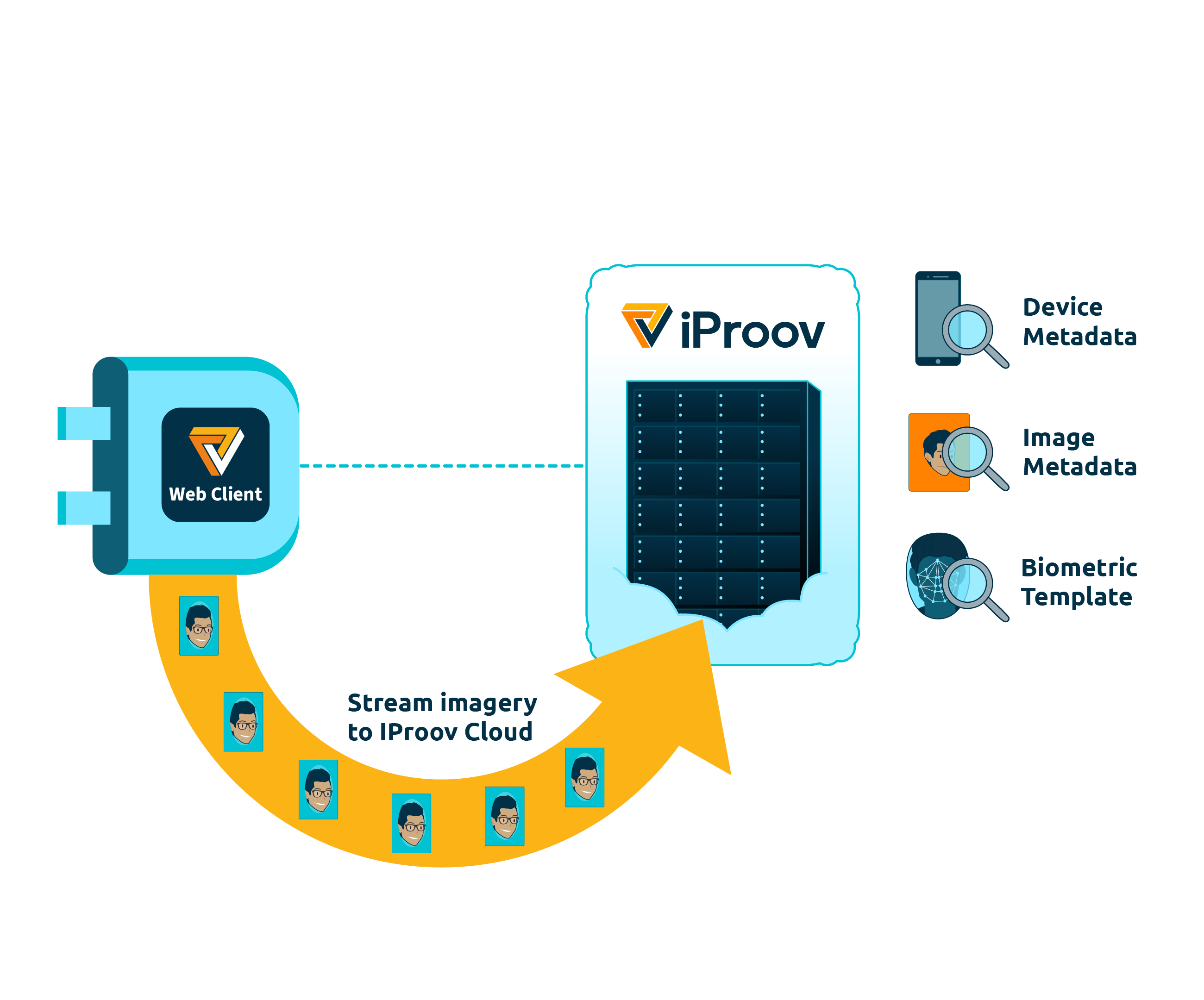
iProov performs biometric verification in the cloud, utilizing advanced liveness detection and face matching.

Algorithms analyze imagery and device metadata to confirm a genuine individual against their pre-enrolled biometric template.

Process flow showing the iProov Web Client streaming images of the user's face to the iProov Cloud where it is analyzed

Threat Updates

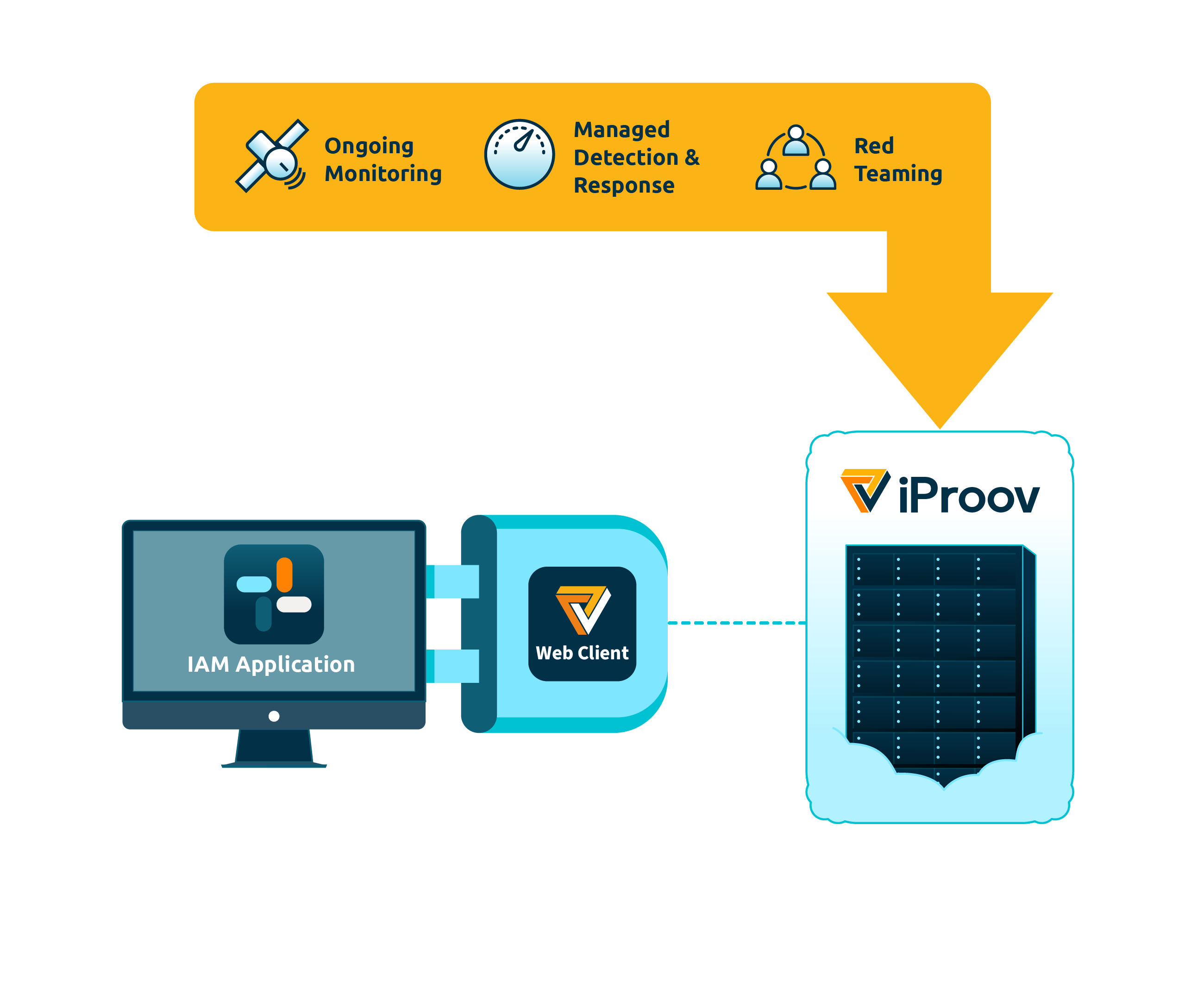
The iProov Security Operations Center (iSOC) detects, responds, and mitigates threats on customers systems, delivering resilience against the full spectrum of attacks. iSOC automatically pushes threat updates to the cloud.

iProov updates are automatically accessed by the Web Client without any updates required by the application developer.

Ongoing monitoring, managed detection and response, and red teaming are applied to the iProov server, which is connected to the OIDC web client and the customer IAM system

Explore Your Integration Options

iProov offers a range of options for integrating with the iProov Cloud, including the fully customizeable experience with the iProov SDK or no-code/low-code integration via the iProov Web Client.

Click Here To Learn More